
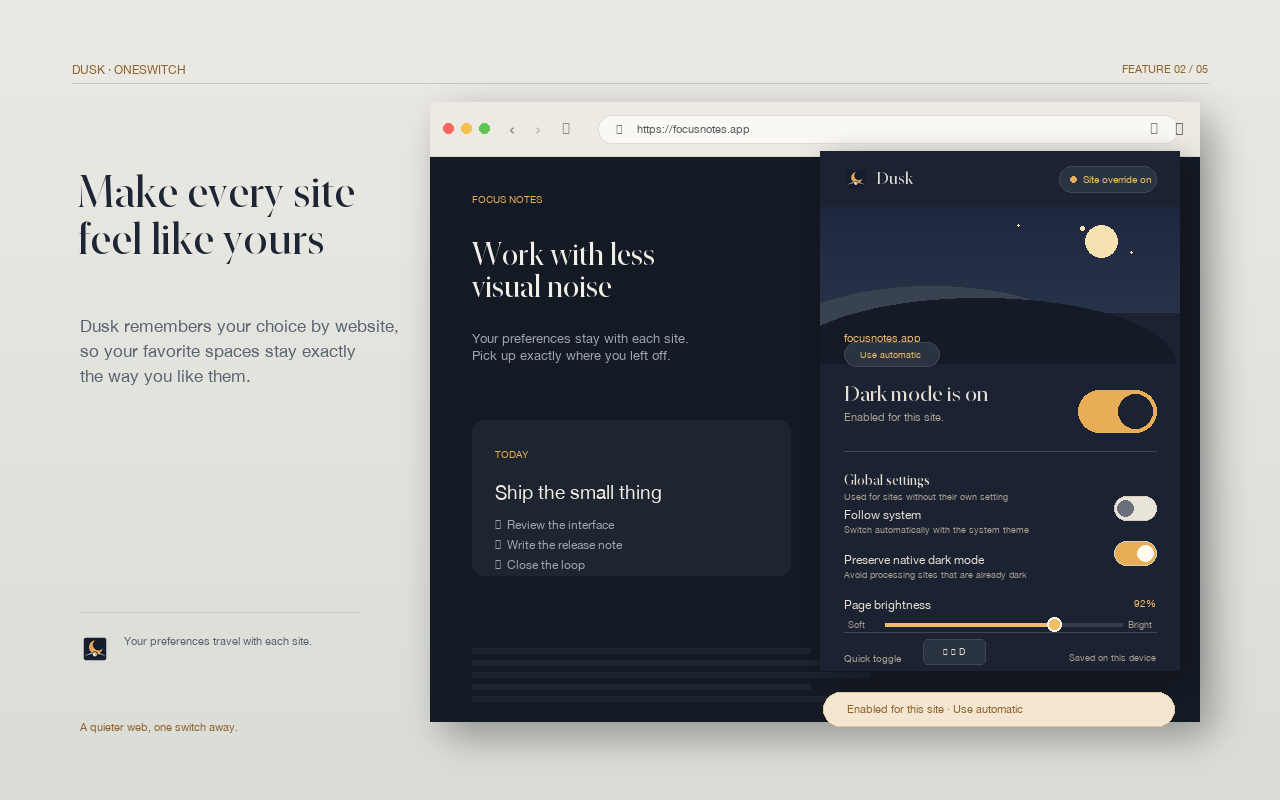
Global is a baseline. Per-site is a decision.
Global dark mode applies the same starting preference to websites you visit. It is useful when you spend long stretches reading articles, browsing reference pages, or working in dashboards that do not offer their own dark theme.
Per-site dark mode is more specific. It says: “remember this choice for this website.” That matters because websites have different visual systems. A code editor, map, charting tool, shopping site, and long-form article do not need the same treatment.
In Dusk, a saved per-site setting takes priority over the global default. You can switch the current website on, switch it off, or restore the global behavior without managing a long list of browsing history.
A useful rule: Let the page earn its exception. Keep the global default comfortable, then opt out when a site's native theme, color system, or interactive controls are more reliable.
Ask three questions before you choose.
- Does the site already have a good native dark theme? If yes, try that first. Native themes usually know their own buttons, menus, icons, and data visualizations best.
- Is most of the page a reading surface? If yes, a global website dark mode is often a good fit. It can reduce the number of bright pages you need to adjust one by one.
- Does color carry meaning? If yes, prefer a per-site setting and inspect charts, maps, product images, video, and documents before keeping the change.
This is not a technical scorecard. It is a quick way to match the scope of the setting to the job the page is doing.
A setup that stays out of your way.
Start with a global default that is slightly less intense than pure black. A softer dark surface keeps the contrast between background, card, and text visible. Then tune the brightness for the type of work you do most often.
- Use global dark mode for ordinary articles and documentation.
- Use per-site dark mode for web apps, charts, maps, and design tools.
- Keep the native theme on when it is already coherent and comfortable.
- Protect media and document canvases so the important colors remain legible.
When you are done, revisit the sites you use most. A setting should be easy to reverse. If a page looks wrong after a redesign, open the current-site control and restore its global behavior rather than living with a broken exception.
When a bright page is the right choice.
Dark mode is a preference, not a requirement. You may want a light page for print previews, color-sensitive work, a presentation, or a site whose native theme already solves the problem. The value of per-site control is that you can make that choice without giving up a calmer default elsewhere.
For more detail on what Dusk can access and how it handles settings, read the security and privacy policy. For the first setup walkthrough, read Dark Mode for Chrome: A Practical Guide.